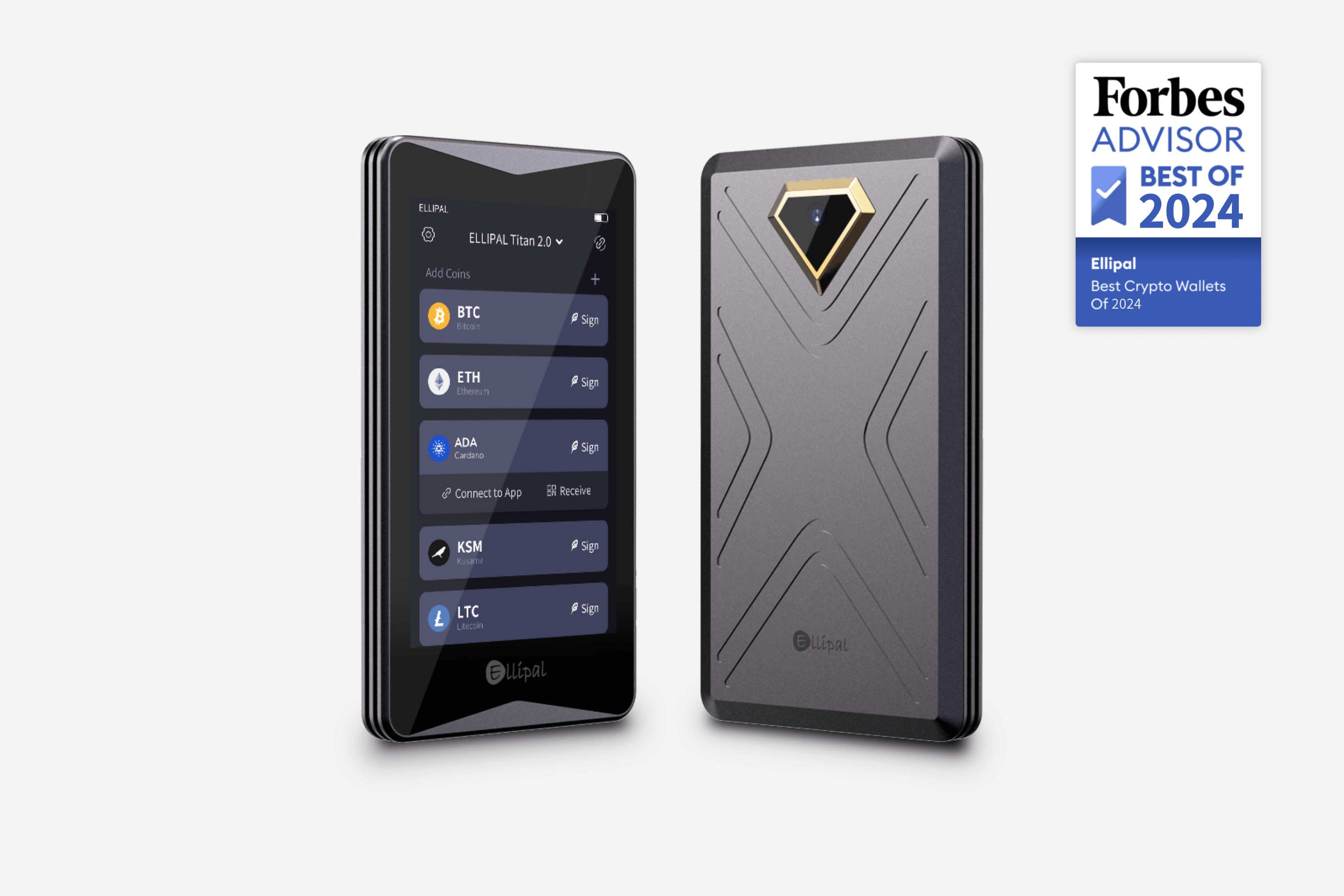
The Ellipal Titan 2.0 is the flagship air-gapped hardware wallet from Hong Kong-based Ellipal, representing the most comprehensive implementation of network isolation available in consumer hardware wallets. At $169 MSRP, the Titan 2.0 targets security-conscious users who refuse to compromise on connectivity — the device has no USB port, no Bluetooth, no Wi-Fi, and no cellular connectivity of any kind. All communication happens through QR codes and a microSD card, making it perhaps the most paranoia-inducing hardware wallet ever made for mainstream consumers.
First Impressions: Build Quality and Design
The Ellipal Titan 2.0 arrives in packaging that signals its premium positioning. The device itself is milled from a single piece of aircraft-grade aluminum with a 4-inch color touchscreen dominating the front face. At 95 x 65 x 10mm and 166g, it is substantially larger and heavier than USB-connected competitors — this is a device meant to stay at home, not ride in your pocket.
The color touchscreen is the largest and clearest display of any hardware wallet at this price point, making transaction review genuinely comfortable rather than the cryptic character-spaghetti of button-based devices. The interface uses icon-driven navigation with large touch targets.
The metal body carries an IP65 dust and water resistance rating — unusual in hardware wallets and meaningful for users who store devices in varied environments.
Security Architecture: The Pure Air-Gap Philosophy
Ellipal air-gap philosophy is absolute: the Titan 2.0 has no conductive connection to any network whatsoever. Unlike competitors that claim air-gap functionality but still require USB for firmware updates, the Titan 2.0 maintains complete network isolation through every phase of its lifecycle.
All software updates are delivered as encrypted files on a microSD card. The device verifies the cryptographic signature of any firmware before installation — a compromised update file cannot be installed. The Titan 2.0 uses a secure element (EAL5+ certified) for private key storage, providing hardware-level isolation that prevents key extraction even under physical attack simulation.
Setup Process
Setting up the Ellipal Titan 2.0 requires installing the Ellipal app on your mobile device. The app serves as the bridge between your hardware wallet and the blockchain — it handles internet communication while the Titan 2.0 remains completely offline.
To receive cryptocurrency: open the Ellipal app, select the coin, tap Receive. The app displays a blank screen waiting for a QR scan. On the Titan 2.0, navigate to Receive — it displays a QR code with your address. Scan with your phone. Verify the address on the Titan 2.0 screen matches what the app shows.
To send: create the transaction in the Ellipal app, generate a QR code, scan with Titan 2.0, verify details on the device screen, enter your PIN to sign, scan the signed transaction QR back to the app to broadcast.
Supported Cryptocurrencies
The Ellipal Titan 2.0 supports over 40 major cryptocurrencies including Bitcoin, Ethereum, all major ERC-20 tokens, Ripple, Cardano, and Polkadot. The coin support is adequate for most retail users but less comprehensive than Ledger or Trezor for obscure altcoins.
The app includes a built-in DApp browser for Web3 interactions — transactions are signed on the device through the QR code workflow, keeping private keys isolated throughout.
Comparison with Competitors
vs Coldcard Mk5: Both implement genuine air-gap architectures. The Coldcard uses microSD card transfer while the Ellipal uses QR code scanning. The Ellipal has a touchscreen display where the Coldcard uses a smaller OLED. The Coldcard has a longer track record in the Bitcoin community.
vs NGRAVE ZERO: Both are air-gapped flagship devices. The NGRAVE has EAL7 certification (vs EAL5+ for Ellipal) and uses QR codes for all communication. The Ellipal uses QR codes and microSD. Both are uncompromising in their air-gap approach.
vs Ledger Nano X: The Ledger has Bluetooth connectivity and mobile app support. The Ellipal categorically refuses to implement any wireless connectivity. For users who prioritize mobile access, the Ledger is far more practical. For users who prioritize absolute network isolation, the Ellipal is the stronger choice.
Pros and Cons
Pros:
- Complete air-gap: no conductive network connectivity under any circumstances
- Large 4-inch color touchscreen for clear transaction review
- Metal body with IP65 dust and water resistance
- Firmware updates delivered via encrypted microSD
- EAL5+ certified secure element
Cons:
- QR code workflow is slower than USB-connected alternatives
- Limited portability due to size
- Coin support less comprehensive than Ledger or Trezor
- Higher price point at $169
Is the Ellipal Titan 2.0 Right for You?
The Ellipal Titan 2.0 is for users who have decided that network connectivity of any kind is unacceptable. If you hold significant crypto assets and your threat model includes remote software attacks, the Titan 2.0 eliminates those attack vectors entirely by refusing to have any network presence.
The QR code workflow becomes natural after a few transactions, but it does require more steps. If you transact large amounts frequently and want maximum security, the workflow is worthwhile. For most users, the Ellipal represents excellent overkill.
Shop Ellipal: Buy Ellipal Titan 2.0 at Ellipal.com
This article is part of our Hardware Wallet Security Cluster — the most comprehensive security resource online. → Read the Full Security Guide → Most Secure Wallets Ranking


